Occasionally I receive a question from a viewer on the process I use in my floral photography. I'm not really disciplined enough to use step-by-step techniques that are appropriate for each image. I guess it would be much easier and less time consuming if I did. But, my processes are much more experimental and I will work hours on one image until I like what I see. Here is a recent question and my answer:
Q: Frank, I very much enjoyed viewing your online photo gallery. Would you mind sharing how you photographed the southern magnolia and ten orchids? How did you create the black background, the lighting, and the appearance that the flowers were suspended in air? That is, how did you set up your studio?
Kindly,Cheryl
A: Cheryl,to answer your question about my "Suspended" flowers, I shoot about 95% of my flower shots outdoors in their natural environment, still attached to the mother plant. I don't have a studio but on the few occasions that I do bring any flowers inside, my technique as far as capture is very uncomplicated. I put a piece of black foam core or felt beneath the subject and either shoot from above or if the flowers are cut and in a vase, I shoot them against the black foam core or an off-white wall. I try always to use natural lighting but if I need flash I use a wireless control on my Nikon and two remote flashes, one on either side of the lens. Each light can be removed and placed away from the camera and each can be turned off or on and the output on each can be adjusted if shadowing is desired.
I use Photoshop CS3 as my digital darkroom as well as several graphic software plug-ins to achieve the results I'm looking for or sometimes discover accidently. I experiment a lot with different techniques but probably spend too much time in processing and fine tuning on the computer. However, IT was my professional background and I enjoy the fact that I can now control my output from original capture to final print.
I have several galleries on PBase.com one of which is devoted to providing examples of how I get from an original image to the final print. The floating magnolia is shown at the bottom of the web page and I invite you to take a look at that as well as the many other images that you will find there. The gallery is titled "Transitions" and can be found at:
http://www.pbase.com/fzipperer/transitions Example:
1. The Original Image

2. Original Marked for Cropping
 3. Cropped and Converted to B&W
(There are many ways to covert to B&W and I use several different ones, but recently I have been using the B&W action layer in CS3 for most of my conversions.)
 5. Removing the Background
(I used the eraser tool with the background color set to black.)

6. The Final Image
(After processing the image with the leaves attached, I decided to eliminate them to really draw attention to the beautiful bloom of the Southern Magnolia. I also print this image in sepia tone and color as shown below.)
Best regards and good shooting!
Frank

 (The image above was made from the top of a hill less than a mile from my house, which is


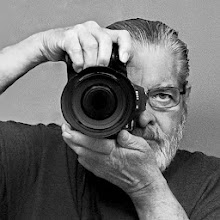
 View Frank Zipperer's profile



 ,
is hosted on my server. If you would like a link
back from me, please email me.
,
is hosted on my server. If you would like a link
back from me, please email me.


